Monday, September 12, 2016

Chapter 18 Section 1 A New Industrial Revolution Quiz

Chapter 18 Section 1 Flashcards SET 1 (click here)


Use your phone or other device to study flashcards.  You can a browser or an app.  There are literally 100's of flashcard apps for apple and android devices.  Most should work fine.  
  1. Download a flashcard app
  2. Import flashcards from  quizlet by searching under Chapter 18 Section 1 by chicagoatlas
  3. Add the set to your flashcard app's library or sets.

Image result for flashcards nkoQuizlet has it's own app that you can download for all phones.  Flashcards by NKO is a free app for Apple and Android products that I've used. There's also flashcards+ and StudyBlue (for both Apple and Android and free) but have not used them. Do not spend money on an app.


Ch 18/1 Online Practice Quiz


Ch 18/1 Quiz (click here)
You may take the quiz online or on paper.  Retakes can be taken for a max 5/6 score.

  • See me for the code.
  • You can retake more than once.
  • You cannot use a person or your old quiz to help but you can use google, your textbook, and worksheets.

Monday, September 05, 2016

Monday, August 29, 2016

Google WebQuest 8/30 - 9/2


Log into textbook and:
    http://sd.keepcalm-o-matic.co.uk/i/keep-calm-and-use-chrome.png

    1. finish the eTextbook WebQuest (gold)


    Then:
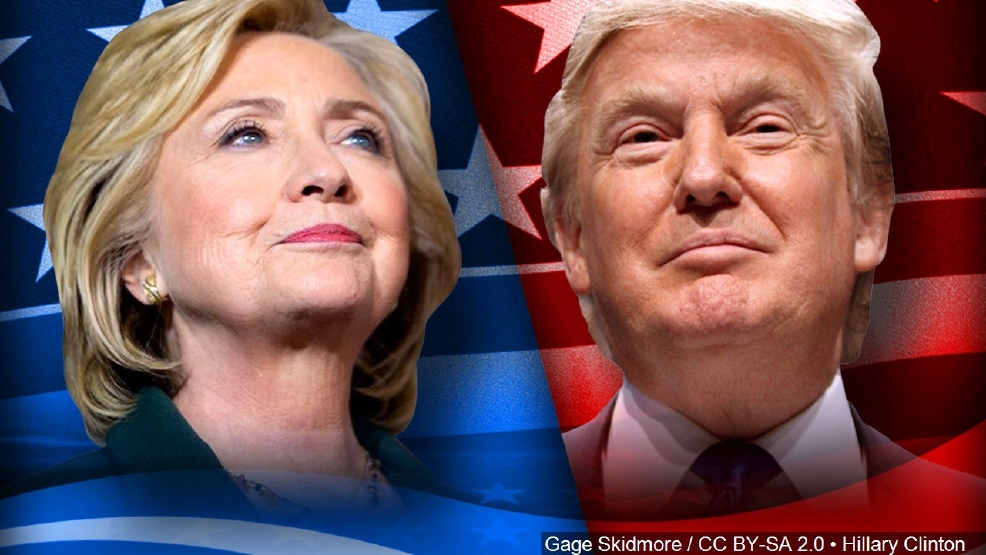
    2) Dem vs. GOP sheet research suggestions are 
    CNN Election and 

    Politifact site and Trump vs. Clinton here

    3) Follow the 7 steps on your Google WebQuest worksheet (green) or click here for the Google Docs version.


    4) The News Journal template is here.


    Finished?  Do the News Journal or try this iCivics game.

    Sunday, August 21, 2016

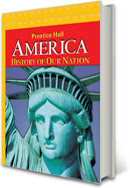
    AHON eTextbook Access

    AHON eTextbook WebQuest

    Your username and password for the eTextbook version were given to you in class: elmhistory, etc.

    (case sensitive so don't capitalize)


    Google successnet (one word) or click on the link on my blog and enter your info.


    Classwork and Homework: 


    Accessing the Tablet Version (will not work on phones)
    You need to have the Pearson eText for Schools app installed on your tablet (Android or Apple).  Then enter your username and password for the eTextbook.  This process and even the logo change often so see me if it is not working.  This will not work on phones.


    iPad app (click)
    Android app (click)

    Troubleshooting Guide

    1. Can’t access the login page?
      Check to see if your internet is working for other sites.  If it is, check to see that you’ve spelled the address correctly:   www.pearsonsuccessnet.com or just Google successnet and it should be the first result. 
    2. Can’t log in?
      Do you have the user name and password your teacher gave you?  If not you’ll need one.  If you do and still can’t log in, check that you’re spelling everything exactly the same.  Also check your caps lock key (no caps!)  One letter off will cause it to fail.
    3. You’ve logged in but when you click on the textbook you don’t get anything?
      Check your internet settings for pop-up blockers.  The textbook wants to open in a new window, but if pop-ups are blocked you’ll get nothing.  (Sometimes there will be a bar at the top of your window telling you it has blocked a pop-up; click on the bar and you should be able to allow them for this website.)
    4. You’ve logged in but when you click on the textbook you get an error message?
      Are you sure you turned off the pop-up blocker?  Try restarting your browser or using a different browser.  Also make sure that your browser and plug-ins are updated. 
    5. Anything else?  Contact Pearson tech support or write down specifics about your problem and see me after school.

    Wednesday, August 10, 2016

    Welcome to the 2016-2017 School Year

    Welcome back to Elm for your 8th grade year of social studies!

    Over the course of this school year we will be studying 20th Century U.S. history, the U.S. and Illinois constitutions, and current events like the historic Election November 8th, 2016.  

    We will also be writing DBQ essays and having a school-wide history fair!

    During our first full class we'll also be taking a news quiz for events over the summer (as a group--don't worry).

    And after that we will watch the news at my current favorite source for student news, CNN Student News.

    Thursday, May 19, 2016

    History Fair is Today, May 19 6-7PM

    See you and your family there.

    Some digital projects are below

    Thursday, May 05, 2016

    History Fair is Due May 16 & 17

    History Fair To Do
    1. Write a thesis using the gold Thesis Proposal sheet.  If you're having trouble answering the questions, you need to read more about your topic. Once you can answer #1-5 on the worksheet, write a thesis.  Use the Thesis Generator (for computers) to help you construct a thesis if you're having trouble. Use this link for iPads: Thesis Generator for iPads.   Then have me approve your thesis and grade your sheet.
    2. Retake the sources quiz.  Didn't get a good score?  Take it as many times as you want to get a good score.
    3. Primary vs. Secondary Sources Quizhttp://www.quia.com/quiz/4327394.html
    4. Choose your project type and get it approved by me.
    5. Next, work on your outline using the HF 2016 Outline Template. 
    6. Finally, start creating your project!  Class workdays are May 10-13.

    Thursday, April 28, 2016

    Illinois Constitution Test is May 6 & 9

    You must also pass the Illinois Constitution test May 6 and 9.
    Finish your practice test by then.
    Flashcards are on quizlet.  I'd recommend using the quizlet app or Flashcards NKO or other free app.


    More games an activities are here:

    Want to see who your Illinois and Federal representatives are?  Click here and enter your address.

    Wednesday, April 27, 2016

    History Fair Thesis

    Write a thesis using the gold Thesis Proposal sheet.  If you're having trouble answering the questions, you need to read more about your topic.  A thesis is due May 4 and 5.

    There is also a lot of excellent information in a video about the theme at the Minnesota HF site.

    Once you can answer #1-5 on the worksheet, write a thesis.  Use the Thesis Generator (for computers) to help you construct a thesis if you're having trouble.   
    Use this link for iPads: Thesis Generator for iPads


    What makes a good thesis?
     

    Finally, retake the sources quiz.  Didn't get a good score?  Take it as many times as you want to get a good score.
    Primary vs. Secondary Sources Quiz
    http://www.quia.com/quiz/4327394.html

    Tuesday, April 26, 2016

    History Fair 2016 Phase II April 26 - May 3

    1) Everyone should have a History Fair topic and blue key sheet should be filled out.

    2) Today you need to decide if you're going to work alone or with one other person in your block and then write a thesis using the gold Thesis Proposal sheet.  If you're having trouble answering the questions, you need to read more about your topic.  A thesis is due May 2 and 3.

    There is also a lot of excellent information in a video about the theme at the Minnesota HF site.

    3) Once you can answer #1-6 on the worksheet, write a thesis.  Use the Thesis Generator (for computers) to help you construct a thesis if you're having trouble.  iPad?  Use this link: Thesis Generator

    4) Finally, retake the sources quiz.  Didn't get a good score?  Take it as many times as you want to get a good score.
    Primary vs. Secondary Sources Quiz
    http://www.quia.com/quiz/4327394.html